
.png)


Review management has the power to increase your online visibility, set you apart from the competition, and attract more customers. But when you're faced with a long to-do list, managing reviews can fall by the wayside.
We've helped thousands of businesses better manage reviews and feedback over the past 15 years. Whether you're overwhelmed by the volume of reviews from different portals, unsure how to respond, or confused about how to implement review feedback, we're here to help.
In this step-by-step guide, you'll learn our best tips on how to effectively manage reviews. So you can get started right away, we've also created an easy-to-use template to download for free.
💡 Just here for the template? Skip down to the video walkthrough and download form.
With hundreds of review sites available, it's easy to get overwhelmed trying to manage them all. For hospitality businesses, focusing on the right platforms is crucial for effective review management.
Start with the essentials. Google is one review platform that every business can benefit from. Being the most prominent search engine worldwide, Google reviews have a significant influence on:
💡 Pro tip: Don't spread yourself too thin by juggling too many platforms at once. If you don't have the help of a review management platform, it's better to shine on 3-5 key sites than to struggle with managing dozens.
To determine which other portals to focus on, see where most of your reviews are currently coming from. Research review portals specific to your industry, but also your demographic.
TripAdvisor, for example, is highly valuable for most hospitality businesses. But if most of your guests come from Germany, then a regional review site like HolidayCheck may be more relevant. Look at the tables below to see if there's anywhere else you'd benefit from collecting reviews.
After determining your key review portals, complete or claim your business profiles there. These profiles allow you to actively review monitor and respond to your reviews. This will also help with Search Engine Optimization (SEO), as search engines use these verified profiles to confirm your business credibility.
Review SiteWhy It's ImportantKey FeaturesProfile Completion TipsGoogle Business ProfileImpacts local search rankings; Most used by consumers globallyMap listing; Direct booking links; Q&A sectionAdd complete business hours, high-quality photos, and service descriptionsTripAdvisor463M+ monthly visitors; Influences 50% of global hospitality bookingsManagement response tools; Traveler ranking; Certificate of ExcellenceRespond to all reviews within 24 hours; Add at least 30 quality photosBooking.com100M+ verified reviews; Strong influence on European travelersGuest-only reviews; High booking conversionComplete all property amenities; Update availability calendar regularlyExpedia75M+ verified reviews; Strong in North American marketVerified stay reviews; Part of Expedia Group ecosystemLink to your other Expedia Group listings; Add virtual tours
RegionReview SiteMarket ShareTraveler DemographicsGermany, Austria, SwitzerlandHolidayCheck23M+ monthly usersFamilies; 35-65 age groupChinaCtrip/Trip.com300M+ active usersChinese outbound travelers; Business travelersFranceLaFourchette12M+ monthly visitorsCulinary-focused travelers; Local dinersJapanTabelog60M+ monthly visitorsJapanese domestic travelers; Food enthusiastsRussiaYandex.Maps50M+ usersRussian-speaking travelers; Business visitorsIndiaMakeMyTrip40M+ monthly visitorsIndian domestic and outbound travelersUKOpenTable27M+ monthly dinersUrban diners; Business travelersAustralia/New ZealandWOMO5M+ usersLocal travelers; FamiliesScandinaviaBookatable4M+ usersNordic travelers; Business customersMiddle EastZomato70M+ usersMiddle Eastern diners; Expatriate communitySouth AmericaDespegar18M+ usersLatin American travelers; Vacation planners
Hospitality SegmentReview SiteUnique FeaturesTarget AudienceLuxury HotelsFive Star AllianceVerified luxury-only listings; Expert reviewsHigh-income travelers; Luxury seekersBudget AccommodationsHostelworld13M+ reviews; Backpacker focusBudget travelers; Gap year studentsVacation RentalsAirbnb150M+ users; Direct bookingExperience-seeking travelers; Family groupsBoutique HotelsMr & Mrs SmithCurated collection; Mystery review programDesign-conscious travelers; CouplesSustainable PropertiesEcobnbGreen certification verification; Eco-filtersEnvironmentally conscious travelersFine DiningThe ForkReal-time reservation integration; Loyalty programGastronomy enthusiasts; Special occasion dinersBusiness HotelsHRSCorporate booking integration; Business traveler featuresCorporate travelers; Event plannersWellness RetreatsSpaFinderTreatment reviews; Gift card integrationWellness travelers; Spa enthusiastsAccessibility-FocusedAccomable (now part of Airbnb)Detailed accessibility features; Verified photosTravelers with mobility needsFamily-FriendlyFamily Vacation CriticKid-friendly ratings; Age-appropriate recommendationsFamily travelers; Multi-generational groups
When managing reviews manually, you have little control over which portals your customers use. With our Review Distribution feature, you determine exactly where your reviews go:

See how Distribution works in the interactive demo
Reacting instantly to every review can become disruptive, as it breaks your focus away from other tasks. It may be fine when you're only getting a few reviews a week, but once you up your review volume it will soon lead to inefficiency.
By allotting specific times during the day or week for review management, you'll have the capacity to give each review the attention it deserves.
To determine a schedule for checking reviews, think about:
Once you've picked a schedule, set a recurring block in your calendar. It can be hard to stick to new habits, but purposefully setting aside time for the task will help you stay on track.
Remembering logins for every review portal and switching back and forth between tabs is tedious and time-consuming. That's why we developed our Review Stream. This time-saving feature automatically crawls your desired review portals and collates all your reviews in one place.

Get an overview of your review scores, filter and search for the information you need and even reply to reviews straight from your dashboard. See our Review Stream in action in the interactive demo
To get the best response when asking for reviews, you need to do it through a channel that your customers are most comfortable with. This could be through SMS, e-mail, QR code, or social media. For most businesses, email is a great place to start. It's convenient, allows for easy personalisation, and is used by a wide demographic.
The way you word your request makes a big difference. People are busy, and taking time out of their day to leave a review is ultimately doing you a favour. A generic, bland review request is all too easy to ignore.

To write an effective review request, include these key elements:
Once you've crafted your request, save it as a template (with room for personalisation) so you don't have to draft a new message each time. Then all you've got to do is replace the personalisation fields, such as the guest's name or details about their experience.
💡 Pro tip: in your free download, we've provided a done-for-you review request template that you can adapt to your business. Get the review management template here.
It's not just how you ask, but when you ask that dictates how many reviews you'll get. To determine the right time to ask, you need to understand your customer journey; the process that a customer goes through when interacting with your business, from the initial discovery, through the process of purchasing and beyond.
Think about the touchpoints where your customers are most engaged with you. For many businesses, this is shortly after a successful service or purchase. This is when the customer's experience is fresh in their mind, and they're more likely to provide a detailed review. It's also when they're likely to feel positive about your business.
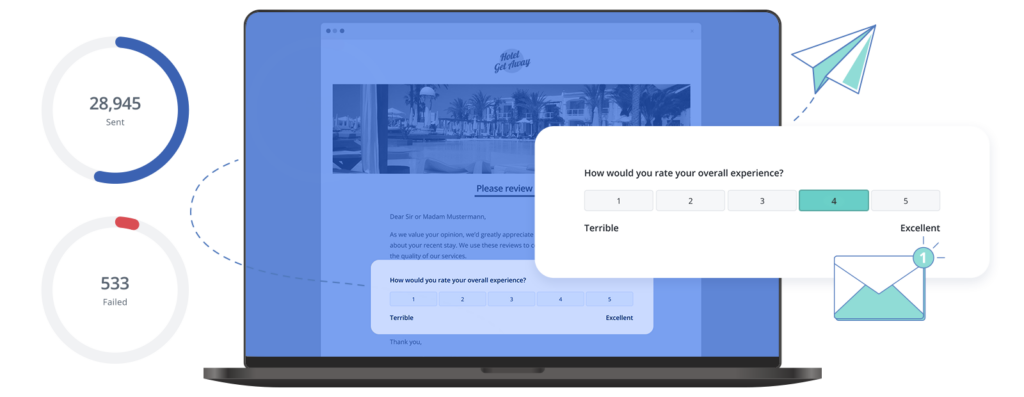
Sending review requests at the right time for each customer requires a systematic approach. Let's say you're a General Manager at a hotel and decide to ask for a review via e-mail one day after your guests check out. Here's how you might set it up:
🛑 Don't forget, most regions have laws about gaining explicit consent from your guests before sending them emails. You can get this consent in various ways, such as a checkbox on your booking form or a sign-up form on your website. To avoid legal consequences, including hefty fines, ensure you have the necessary permissions before initiating any email campaigns.
Even with a template, manually requesting reviews is hard to do consistently, so you'll inevitably miss out on some feedback. With Customer Alliance, you can set the ideal time to send your review request and it will run in the background with no manual input needed from you. That means more reviews for your business, and one less thing on your to-do list.
Case study: Before using Customer Alliance, Medicover Romania left generating reviews to chance. But since automating their review collection, they have collected over 46,000 patient reviews. Not only have they quadrupled their yearly number of Google reviews, they've also increased their ratings by almost 20 points. Read the full case study here.
Responding to your reviews is a highly effective (but often overlooked) aspect of managing reviews.
In our study, 88% of respondents said they saw a business’s response to reviews as ranging from slightly to extremely important. Why? It helps show your customers that you value their feedback and gives potential customers insight into your service.
Despite this, most companies rarely, if ever, reply. This generally boils down to a lack of time, or simply not knowing how to respond. A quality review reply is distinguished by several key features.
💡 Pro tip: replying to reviews can also improve your SEO as it helps build trust in your brand, something Google takes into account when determining where you show up in search results. You can also add keywords specific to your business into your responses, which will only benefit you as AI-powered search becomes more widespread.
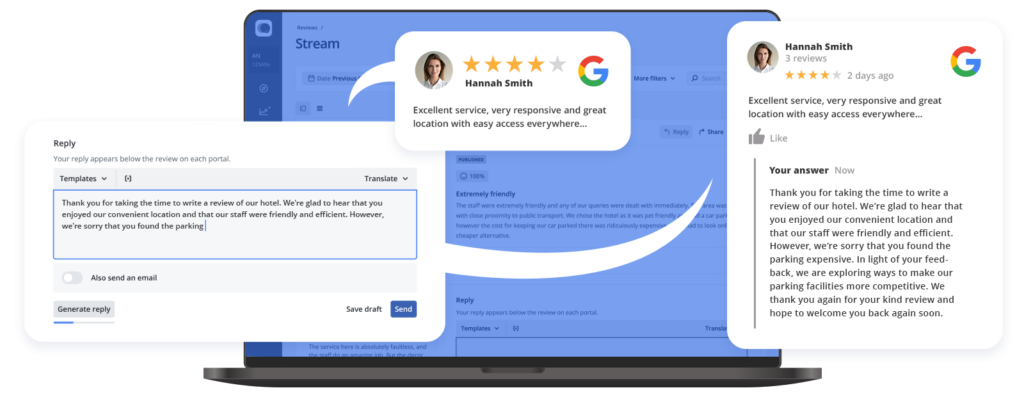
Replying to reviews may seem simple, but knowing what to say is often challenging. Starting from nothing can feel overwhelming, and it's easy to second-guess your response. Our Review Stream has a couple of options to help make replying to reviews quick and simple.
You can create unlimited templates covering all types of reviews, and personalise them for your customers and your business. Simply select the appropriate template from the drop-down and personalise your response.
If you want to save even more time, our AI Reply Assistant generates personalised, unique responses with just one click. See AI Reply Assistant in action in the interactive demo.
Review management doesn't just help increase your online visibility, it gives you a goldmine of feedback to help you improve your service.
Start by dividing your reviews into categories like customer service, price and location. Grouping your reviews like this makes it easier to spot which topics are most important to your customers.
To dig deeper, search for recurring keywords or phrases within each category. For instance, words like "friendly", "slow", "expensive", or "easy" are powerful indicators of trends in customer sentiment. These words hint at the aspects customers are consistently noting, either positively or negatively.
Count the frequency of specific praises or complaints lodged within each category. This helps you quantify the significance of each theme or trend. You could also use a tool like ChatGPT to help you understand which topics most need your attention. By analysing the content of your reviews, you can make a clear plan for improving your business based on importance.
For example, say after your review analysis you notice that the term "slow" frequently crops up about service times. Armed with this understanding, you can prioritise initiatives to make service faster, like a staff training session, scheduling additional service staff at peak times or assessing your current process to remove bottlenecks.
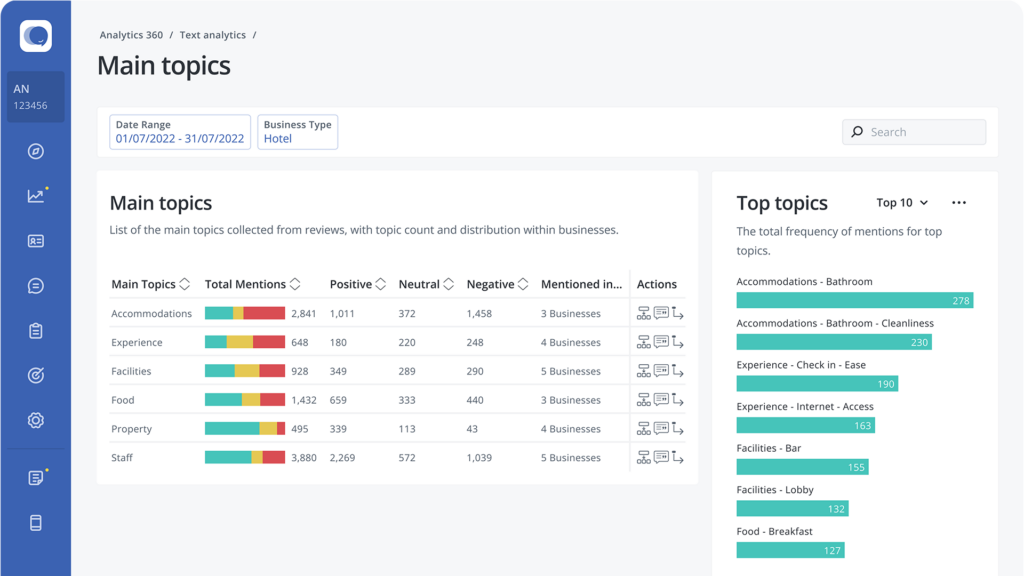
Our platform has built-in tools to help you dig into your data without the tedium of manual analysis. Text Analytics instantly identifies which review topics are most common and how positively or negatively your customers perceive them.
We're also working on an upcoming AI feature that will tell you which topics will have the biggest impact on your business (and which ones you can come back to later).
Now you know the steps to take to kickstart your review management strategy. But keeping track of everything can be a challenge. In this free template, we've created a space for you to log, categorise and reply to your reviews.
To help save even more time, you'll find 30+ review response templates plus a template to craft your review request e-mail. Watch the short video below to see how to use it, and grab your template here.
Get your free review management template
Review management is hugely valuable for any business wanting to be found online and attract more customers. However for many, manually collecting, replying and analysing reviews isn't feasible.
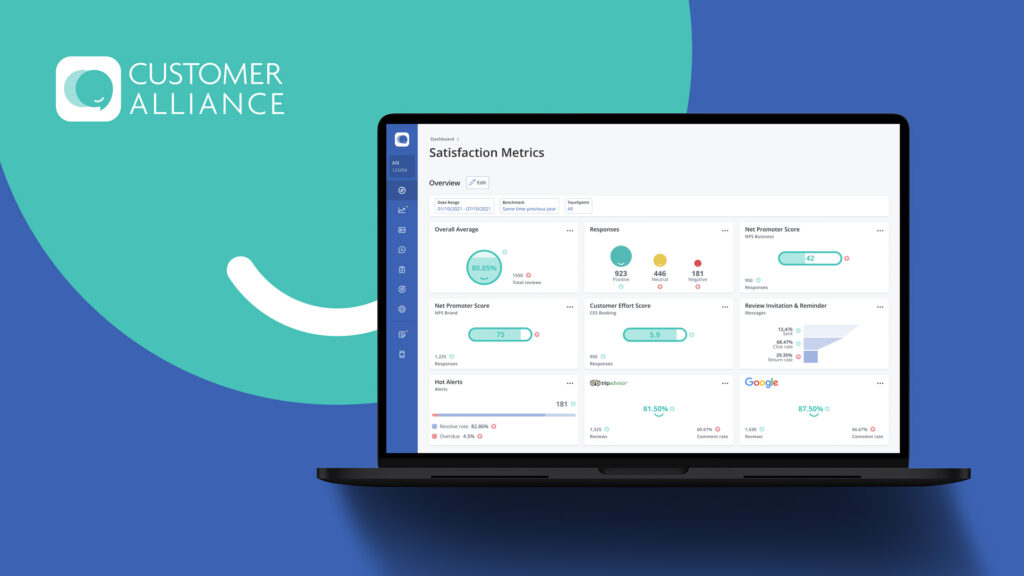
Whether it's down to the sheer volume of reviews, or lack of staff or time, managing reviews can quickly feel overwhelming. By using review and feedback management software like Customer Alliance, you remove most of the manual work, helping you save time and increase efficiency.
If you'd like to see how we can help, pick a convenient time for a 15-minute introductory call with one of our experts.
No one wants to hear criticism of their business. But don't be tempted to try and remove bad reviews or use tactics like review gating. A few negative reviews give your business authenticity and make you feel more trustworthy to potential customers. Replying to the review (get some tips here) is also a great way to showcase your customer service and can lessen the impact of any negative feedback.
Check the review platform for their guidelines on how to remove fake reviews, as each will have its own process. However, you can also lessen the impact of the fake review with a well-written reply (making it clear you have no record of their purchase/booking). You can also run a review collection campaign to drown out the fake review with genuine, positive feedback.
See how AI insights, automated workflows, and unified dashboards can reduce manual work and increase satisfaction across your hotel.
get personalized demo


